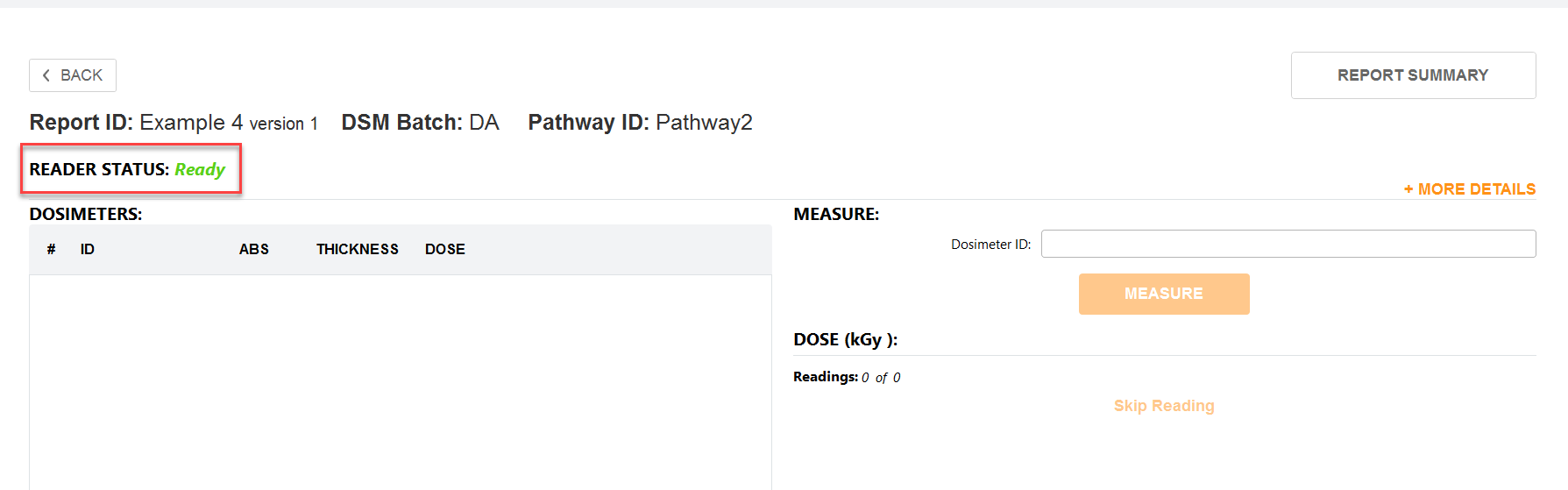
Quick summary - Any user (with a Technician role) can create a report and measure dosimeters. A dosimetry report will contain all the dosimeter measurement information and all the associated calibration and process information. To measure dosimeters after irradiation, the user must create a new dosimetry report.
Instructions
1 Go to the DoseControl home screen by clicking the icon on the toolbar.
2 Click a Report ID to open an existing dosimetry report.
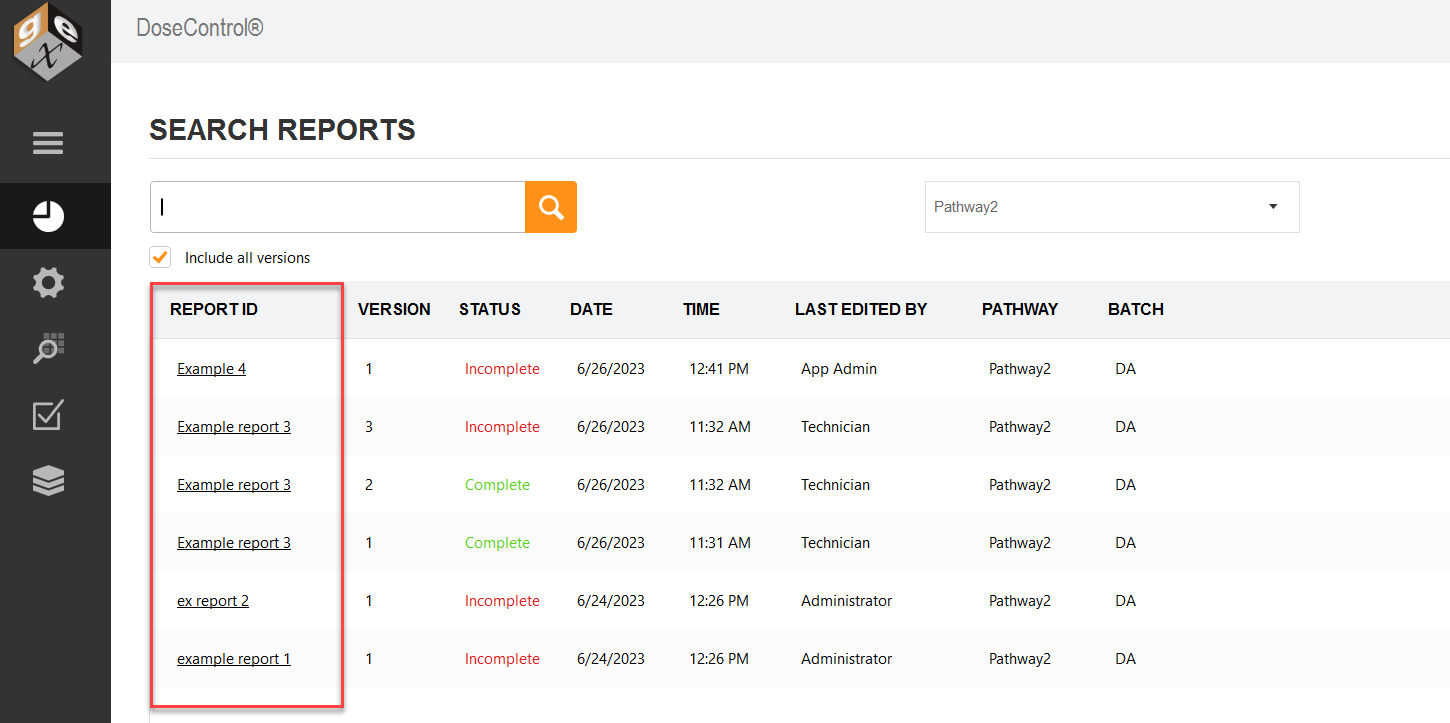
NOTE: To quickly find an existing report, use the Search bar to find an existing report by Report ID, Dosimeter ID. See How to search for a Report or Dosimeter ID section for details.
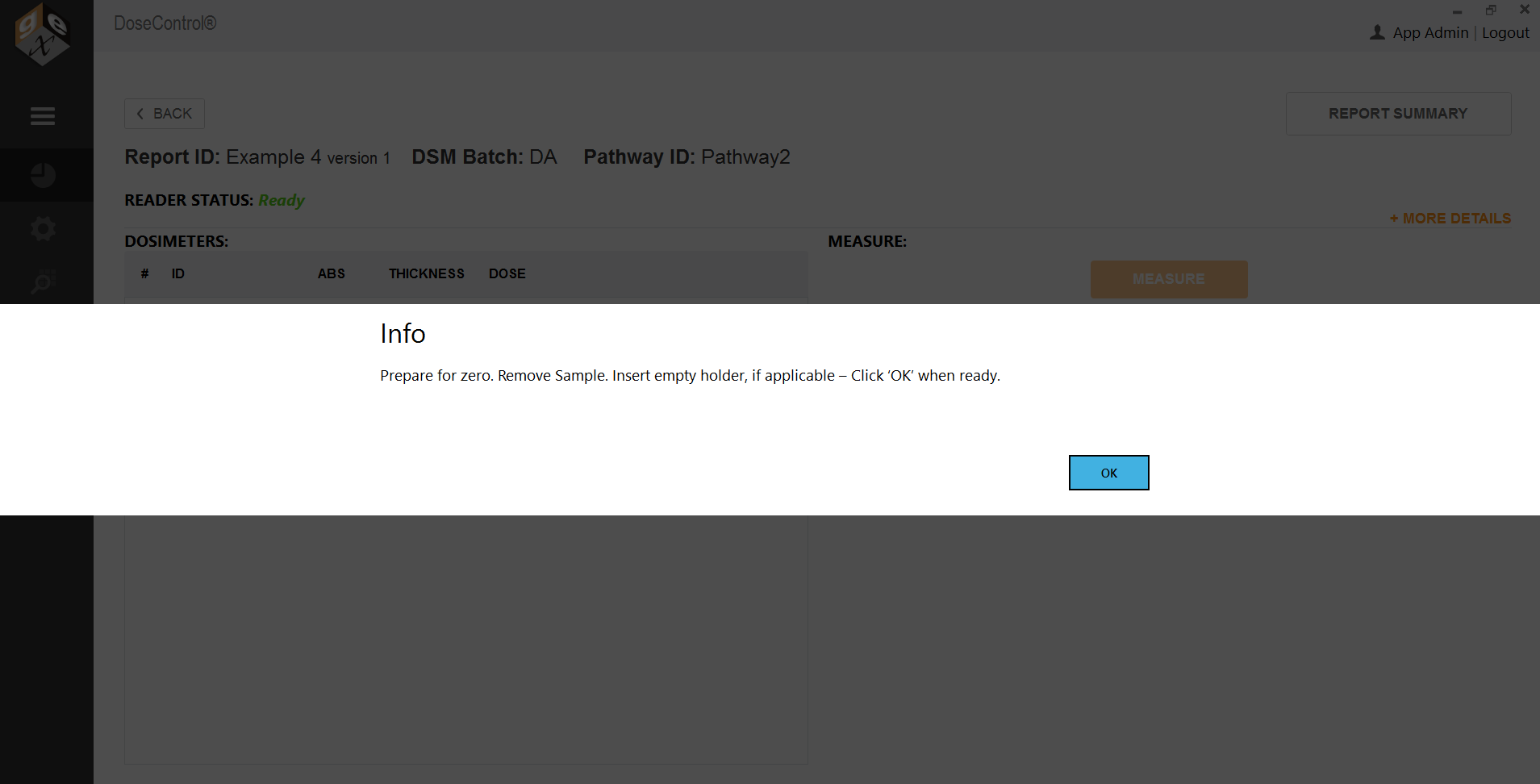
3 DoseControl will open the dosimeter measurement screen and prompt the user to prepare to zero ‘0’ the spectrophotometer. Follow the on-screen instructions.
4 The dosimeter measurement screen will then open and is now ready for the user to perform measurements. Reader Status should say Ready.