
The Application Administrator or global admin user can see and use the Audit Trail in DoseControl.
The Audit Trail feature in DoseControl allows the users to search, filter and view the historical record of events from the database. The user can also compile an audit report, and save and print the report. The audit trail is separate from the report screen and measurement functionality, and is accessible only by the Application Admin user role.
Filtered Audit Trail Results
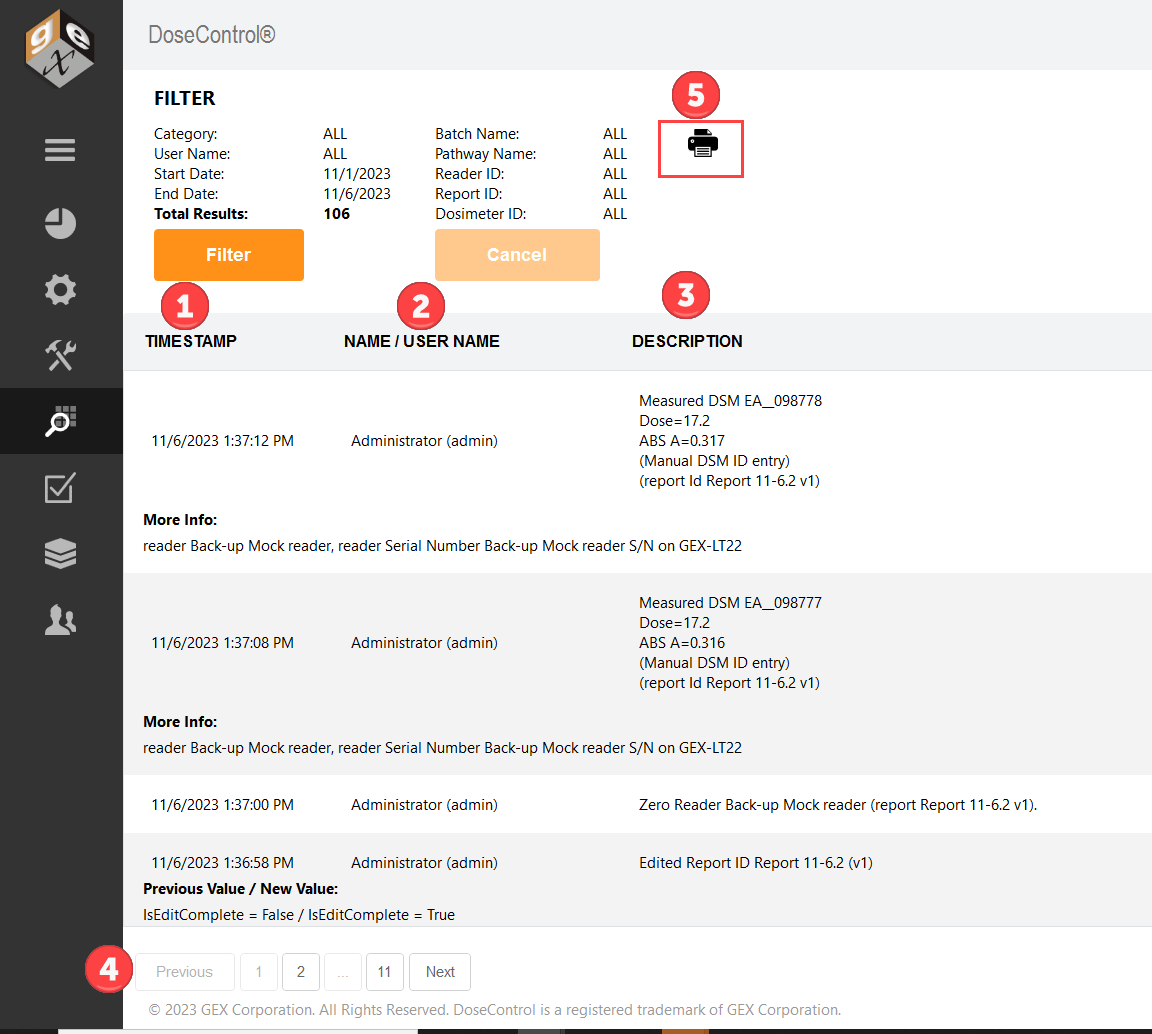
List of all events recorded, filtered by the settings. For each event:
-
Date & Timestamp - the date and time of the event (matches the PC clock and regional settings)
-
UserName / User ID - the user logged into the software at the time of the event.
-
Description - details about the event category and details about the event
-
More info - Some audit log events contain a “more info” detail that lists the event’s Previous value / New Value or item details
-
-
Pages of results
-
Print PDF of audit log filtered results.
Set the Audit Report storage location, as needed. See Report Storage Location configuration.
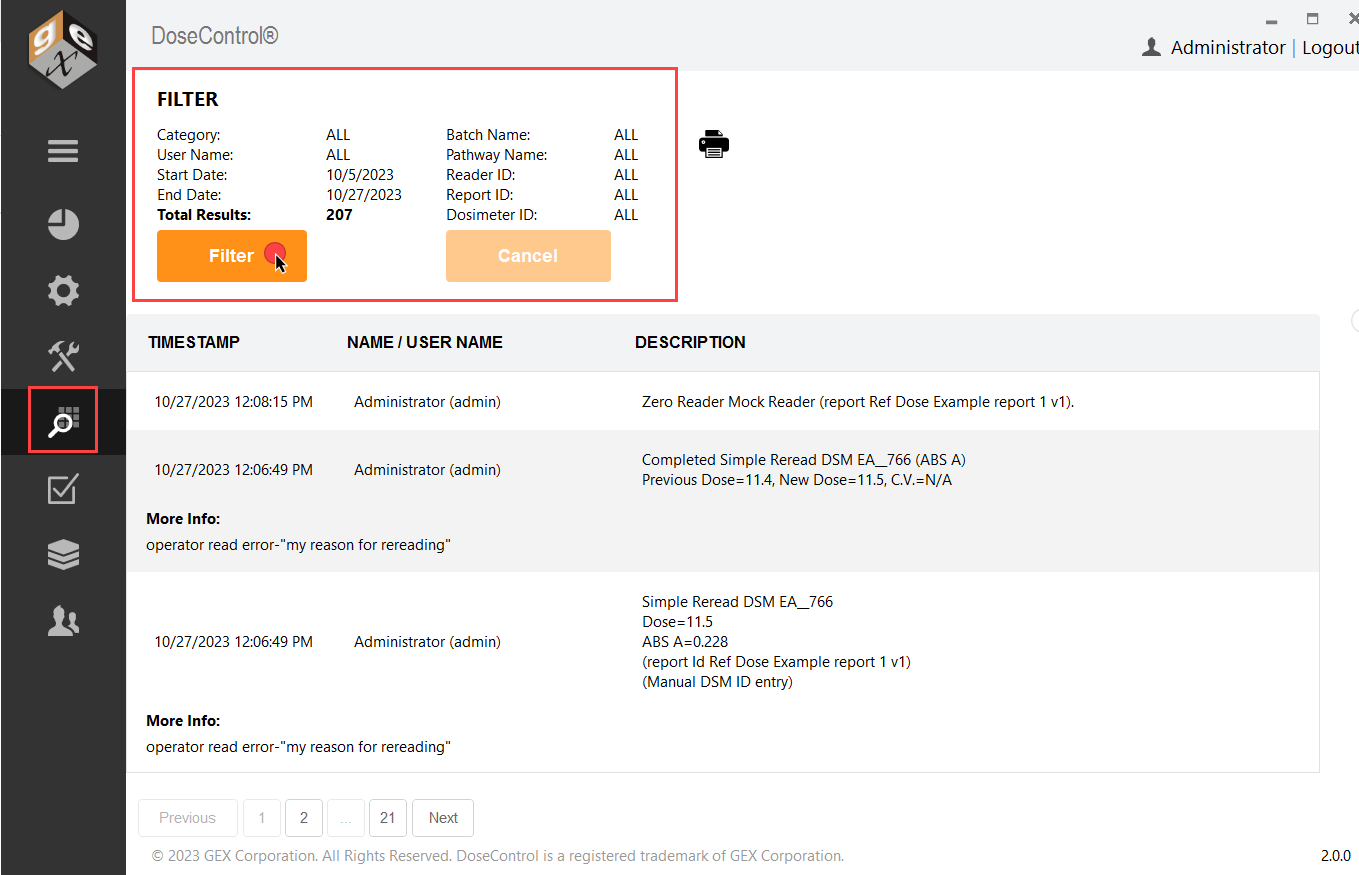
Filter settings
Use the “Filter” button to filter audit trail events.
-
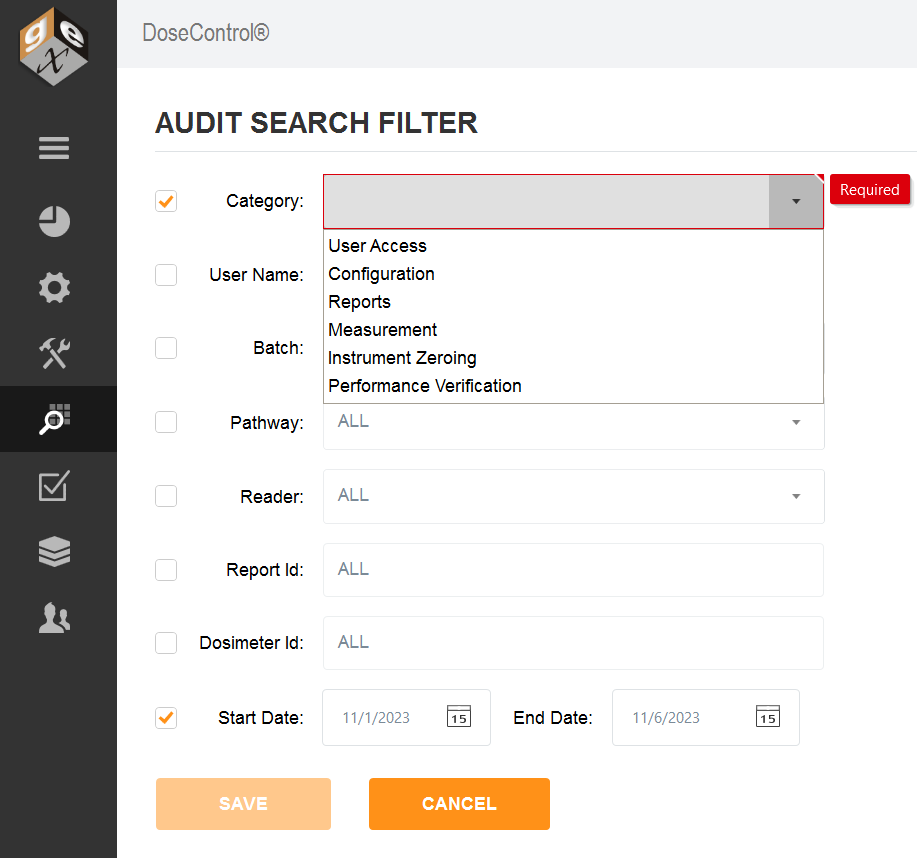
Category - select a Category of event types to narrow down the search. Filter events:
-
User Access
-
Configuration
-
Reports
-
Measurement
-
Instrument Zeroing
-
Performance Verification
-
-
Start/End date - select a date range.
-
User Name - select a specific user name.
-
Batch - select a specific batch ID
-
Pathway - select a specific irradiation pathway ID
-
Reader ID - select a specific reader ID
-
Report ID - enter a Report ID
-
Dosimeter ID - enter a Dosimeter ID