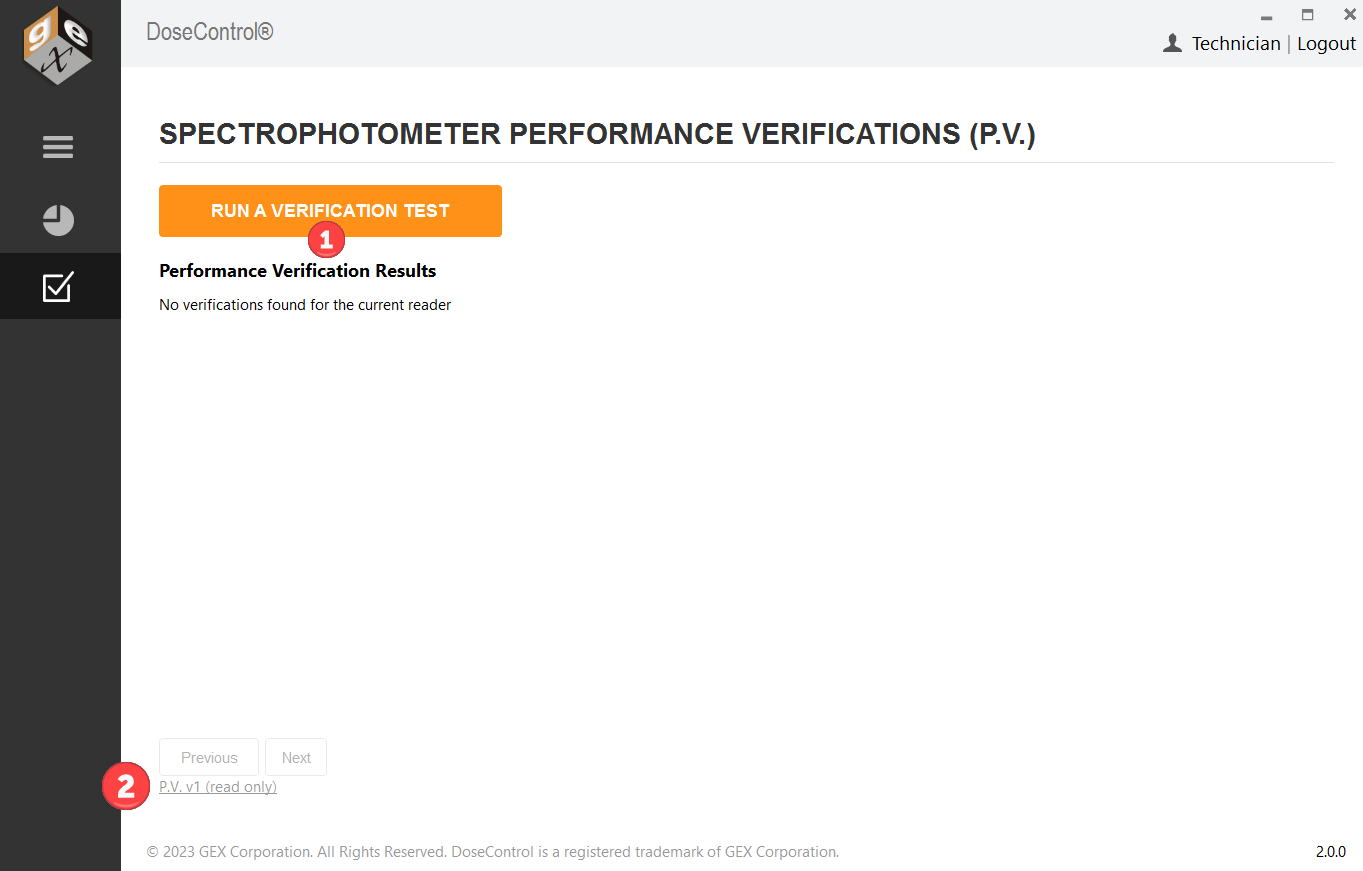
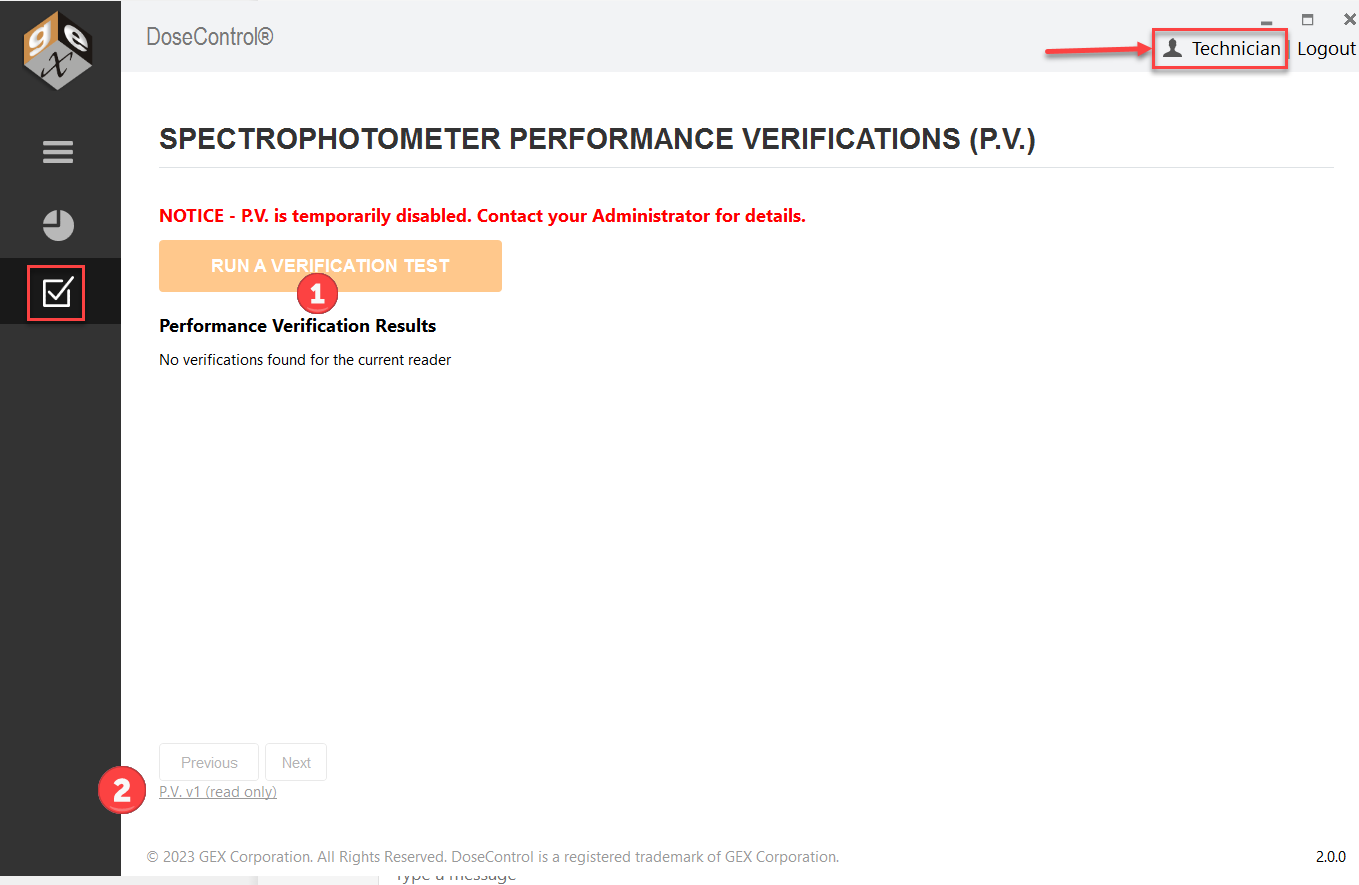
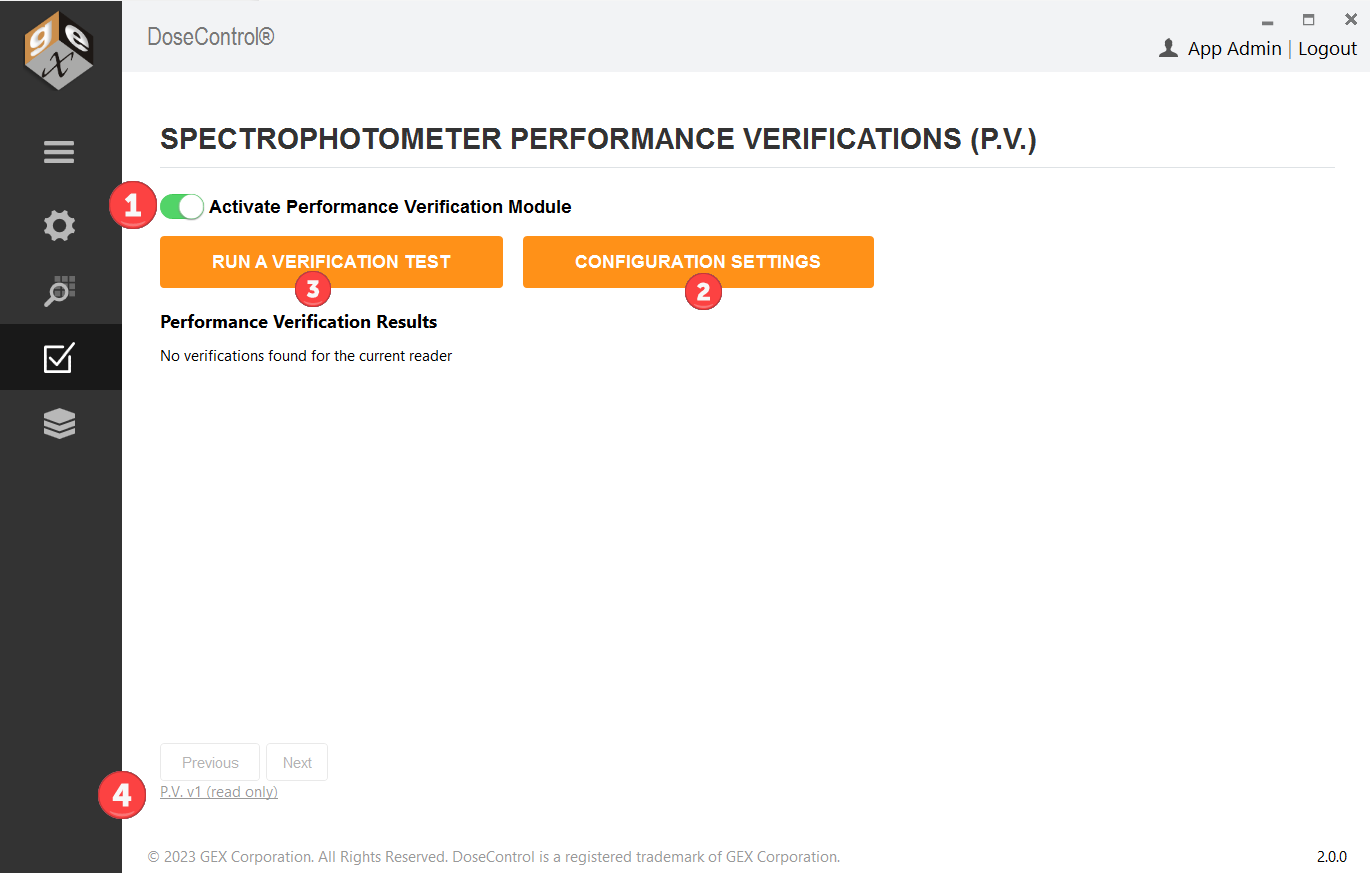
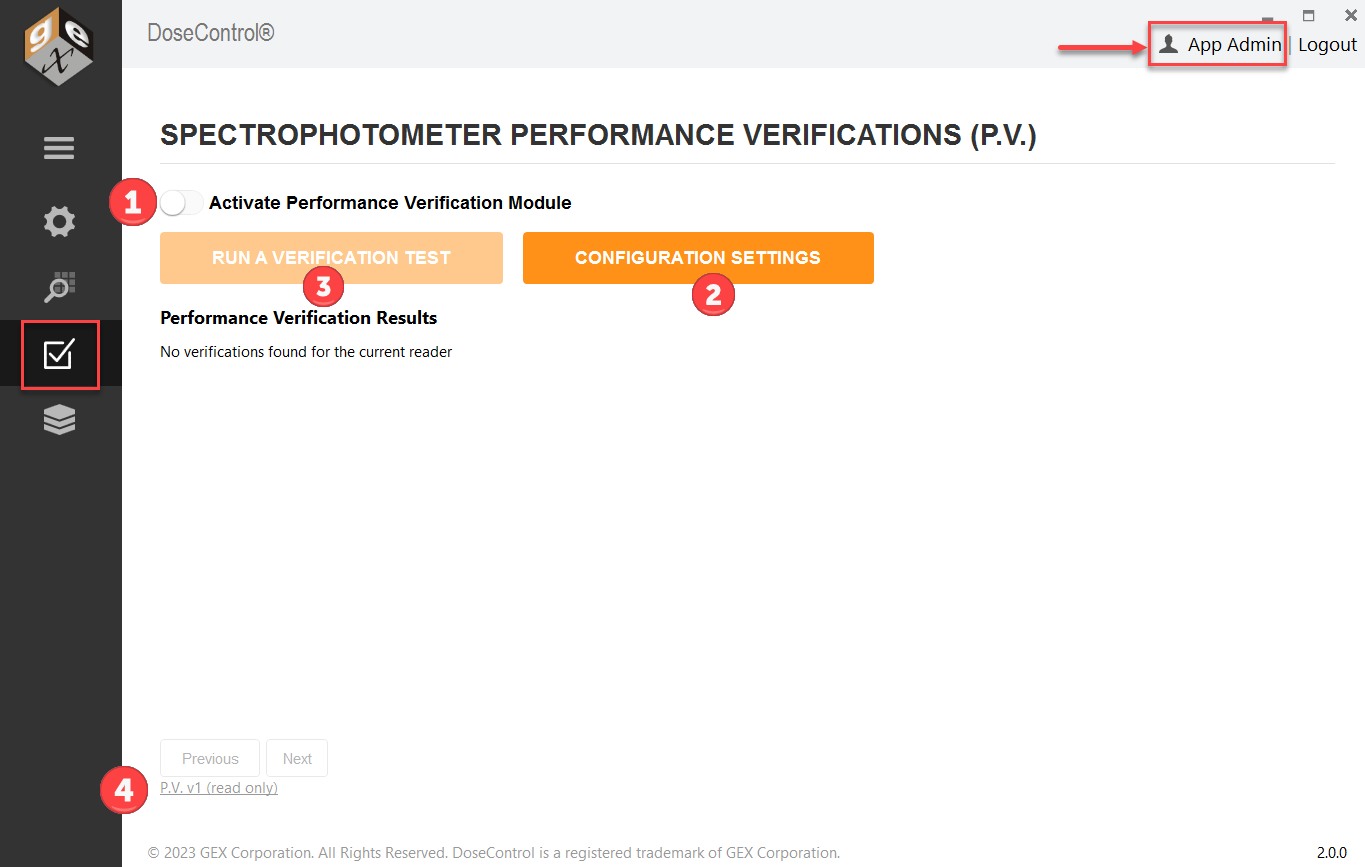
Different users can do diffferent things in the P.V. Module. The Application Admin can activate and configure the P.V. Module, and execute a P.V. test, and the Techician can only execute P.V. tests.
Application Admin user role
Screens visible to the Application Admin user role (see Figures 1 and 2 below):
-
Can turn off/on the P.V. Module (globally). Comment required to document reason for on or off event.
-
Can setup new P.V. Methods; can activate/inactivate P.V. Methods.
-
Can execute a P.V. test
-
Can view historical archive of P.V. test records (from older versions of DoseControl)
Technician user role
Screens visible to the Technician user role (see Figures 3 and 4 below):
-
Can execute a P.V. test
-
Can view historical archive of P.V. test records (from older versions of DoseControl)
Technician user cannot turn off/on the PV Module or configure the P.V. Methods.