
The Application Admin can turn the P.V. Module on or off in the system. (See User Access for the PV Module.) The on/off switch is located on the main screen:
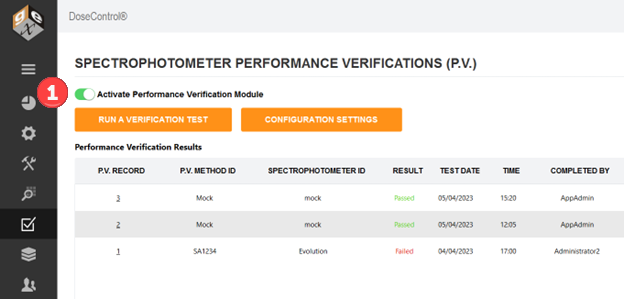
Turn on/off the P.V. Module
1 Login as the Application Administrator
2 Go to the P.V. icon on the sidebar menu.
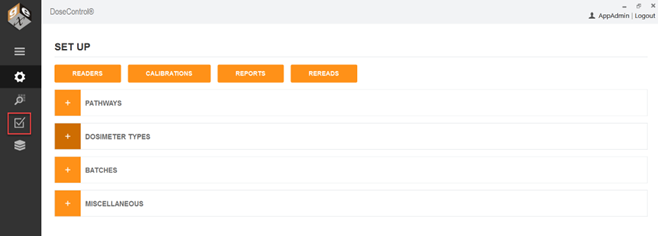
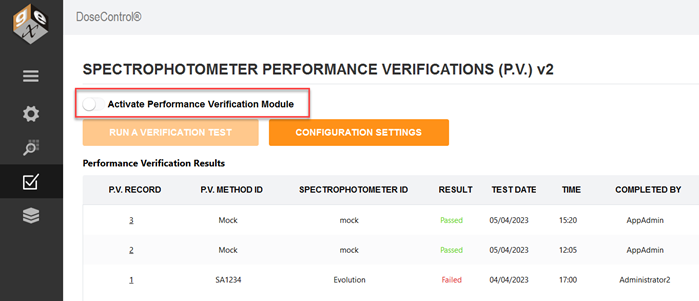
3 Switch the Activate Performance Verification Module. Move the switch to the ‘on’ position (green) to activate; move to ‘off’ position (grey) to deactivate.
4 Enter a comment when prompted. A comment is required when you activate or inactivate (turn on/off) the P.V. Module.
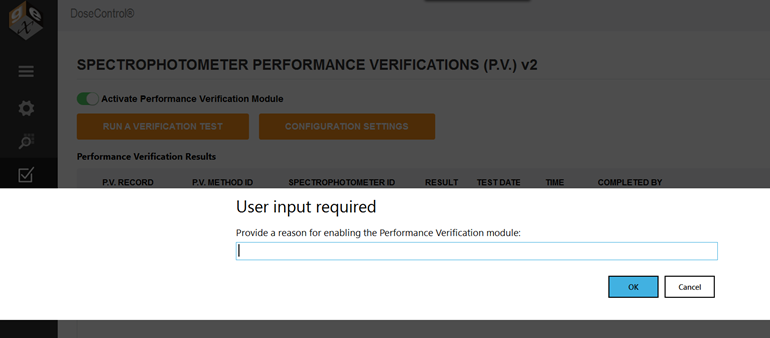
Your comment is saved in the audit trail with the P.V. Module activation event occurrence.