Overview
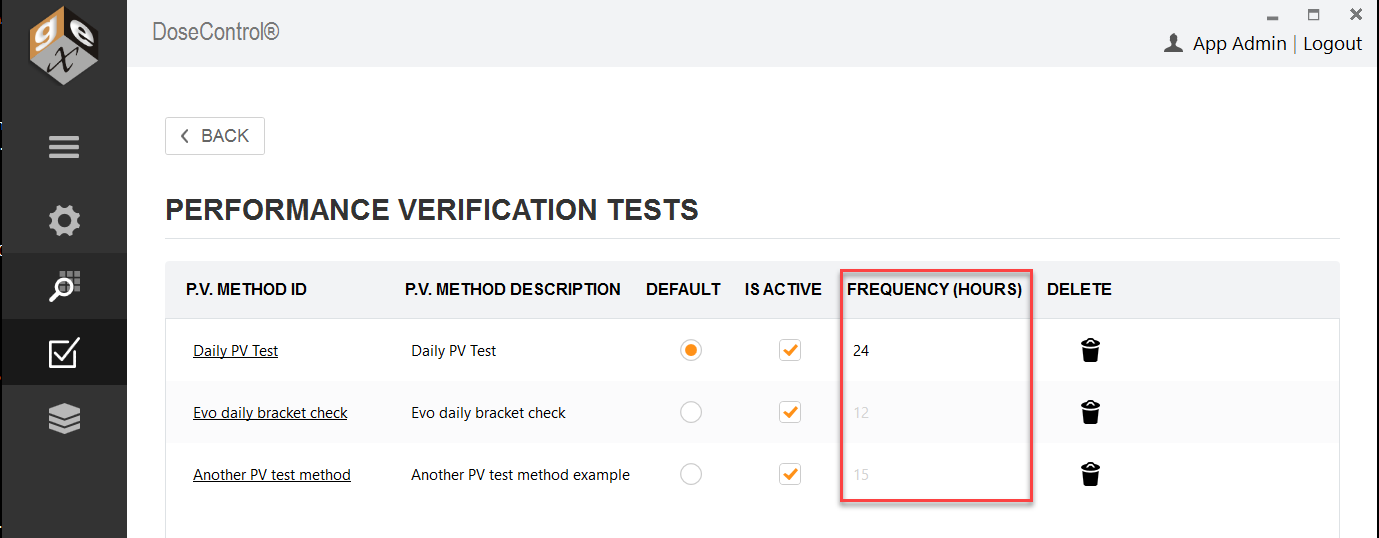
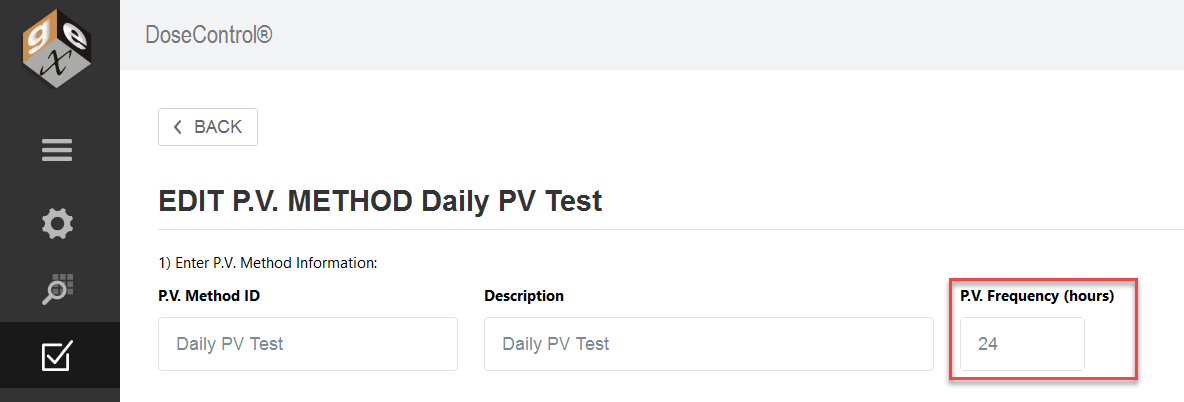
You can set a P.V. test frequency in the P.V. Method configuration screen. The test frequency is set in number of hours. Enter the number of hours for the test frequency timer, e.g. 24, 36, 48. Leave the frequency field blank if you do not want to use this feature.
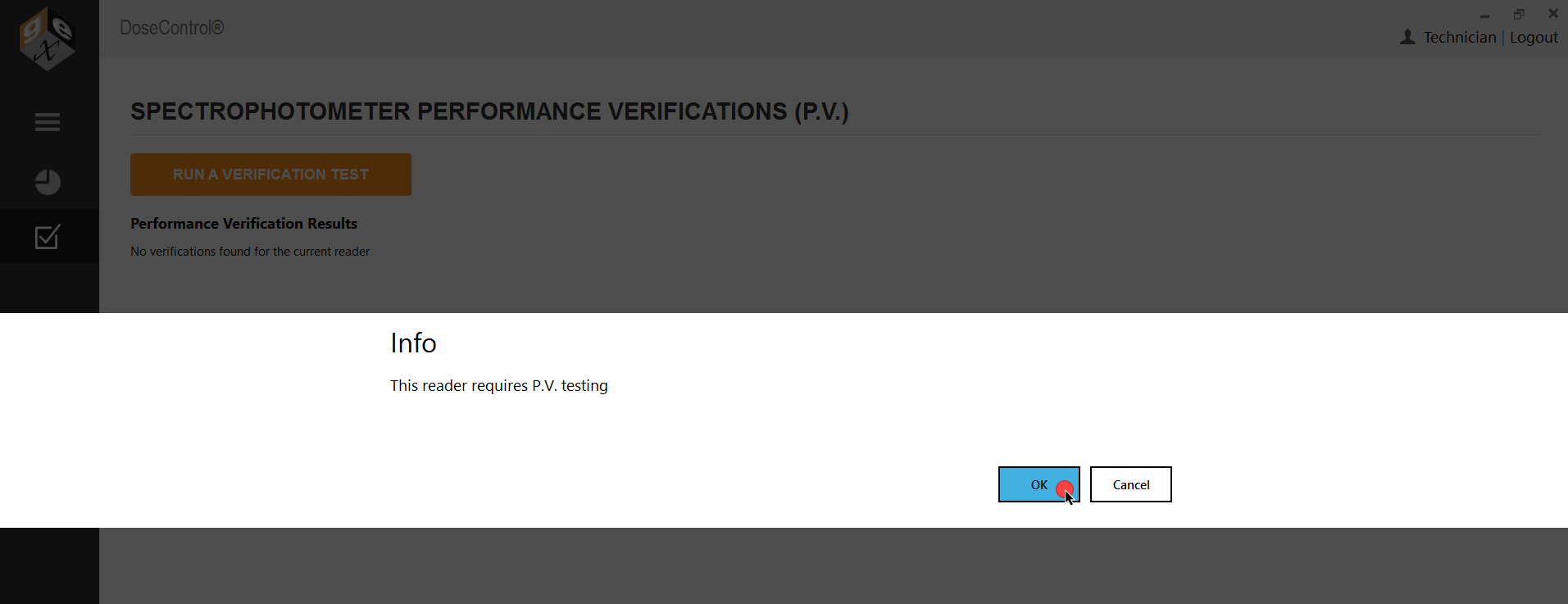
When the frequency time expires, the software will prompt the user to execute a P.V. test. and will not allow dosimeter measurements until the user passes a P.V. test.
How to start the P.V. test frequency timer
The frequency timer begins at the time you run the first P.V. test in the software. The App Admin should perform the first P.V. test at the time of day you want the timer to start.
Example - If you want P.V. test frequency to occur every 24 hours, and the prompt to appear at the start of each day, execute the first P.V. test at 8.00am. The software will prompt the users to execute a P.V. test at 8.00am each day.
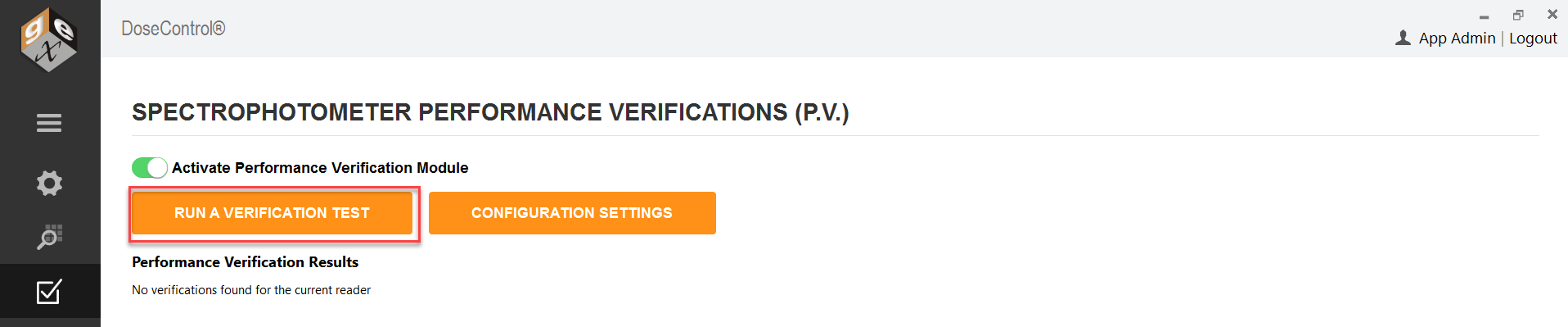
1 Login as Application Administrator user. Go to the P.V. Module main screen. Ensure the P.V. Module is active in the software.
2 At the time of day you want to start the P.V. test frequency, click “Run a Verification Test” button to perform the first P.V. test in the software.
Cautions
If you have multiple active P.V. methods, do not have a Frequency set for each method. Choose one (1) P.V. Method to have a frequency timer.
When using the P.V. test frequency feature, configure one P.V. Method with a frequency value.
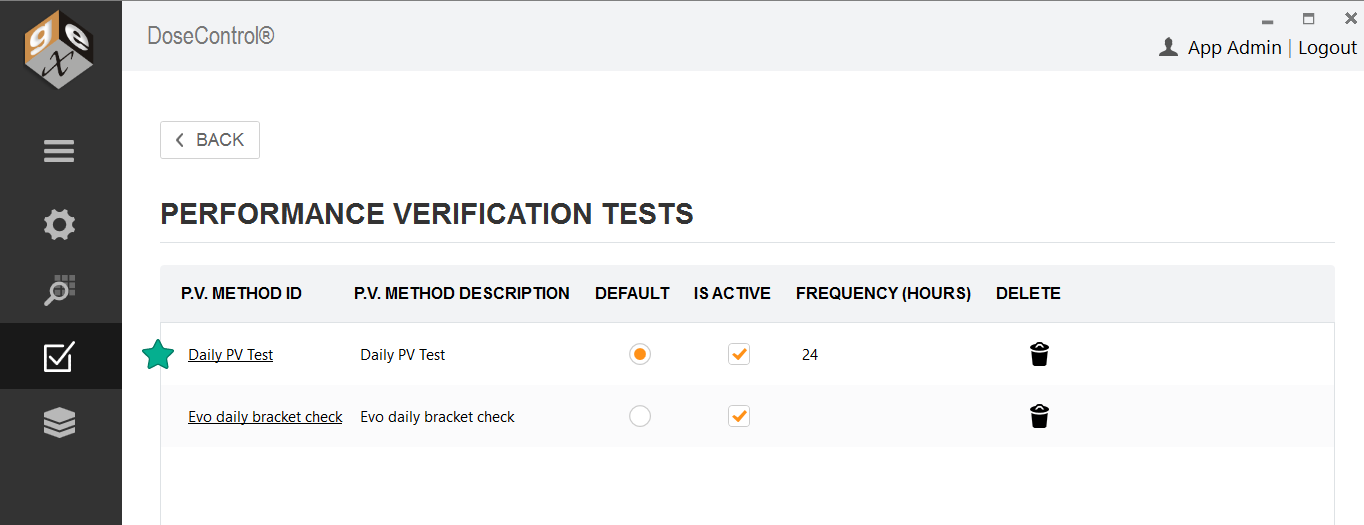
Do not have multiple active P.V. Methods with various frequencies. The software will use the frequency configured in the “default” P.V. Method.