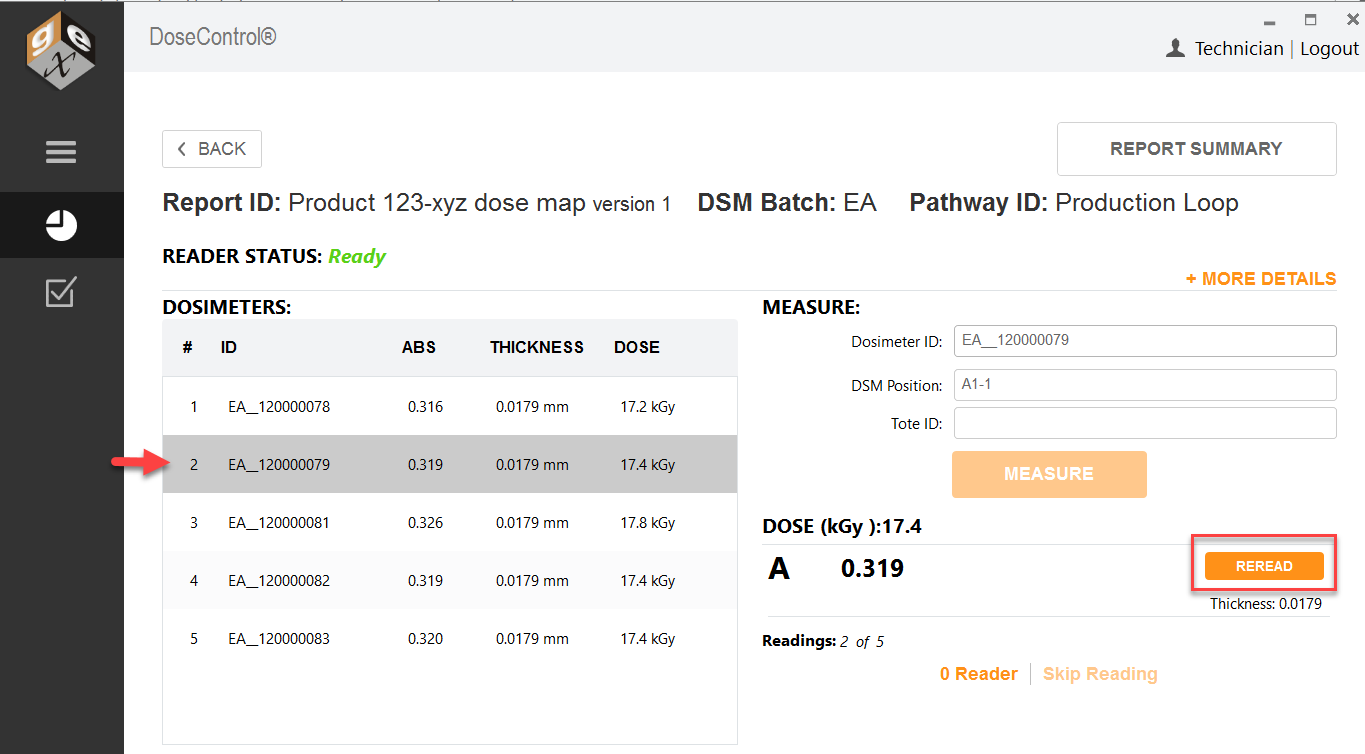
Quick summary - Any user (with a Technician role) can measure and reread dosimeters on the report’s measurement screen.
How to reread (re-measure) a dosimeter
1 For any dosimeter in a report, click to highlight the dosimeter you want to reread.
2 Click the “Reread” button.
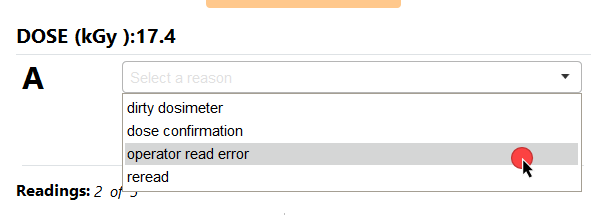
3 Select a reread reason from the dropdown options.
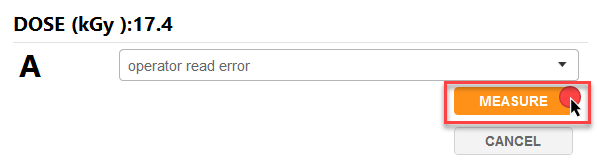
4 Follow the software prompts to complete the reread.
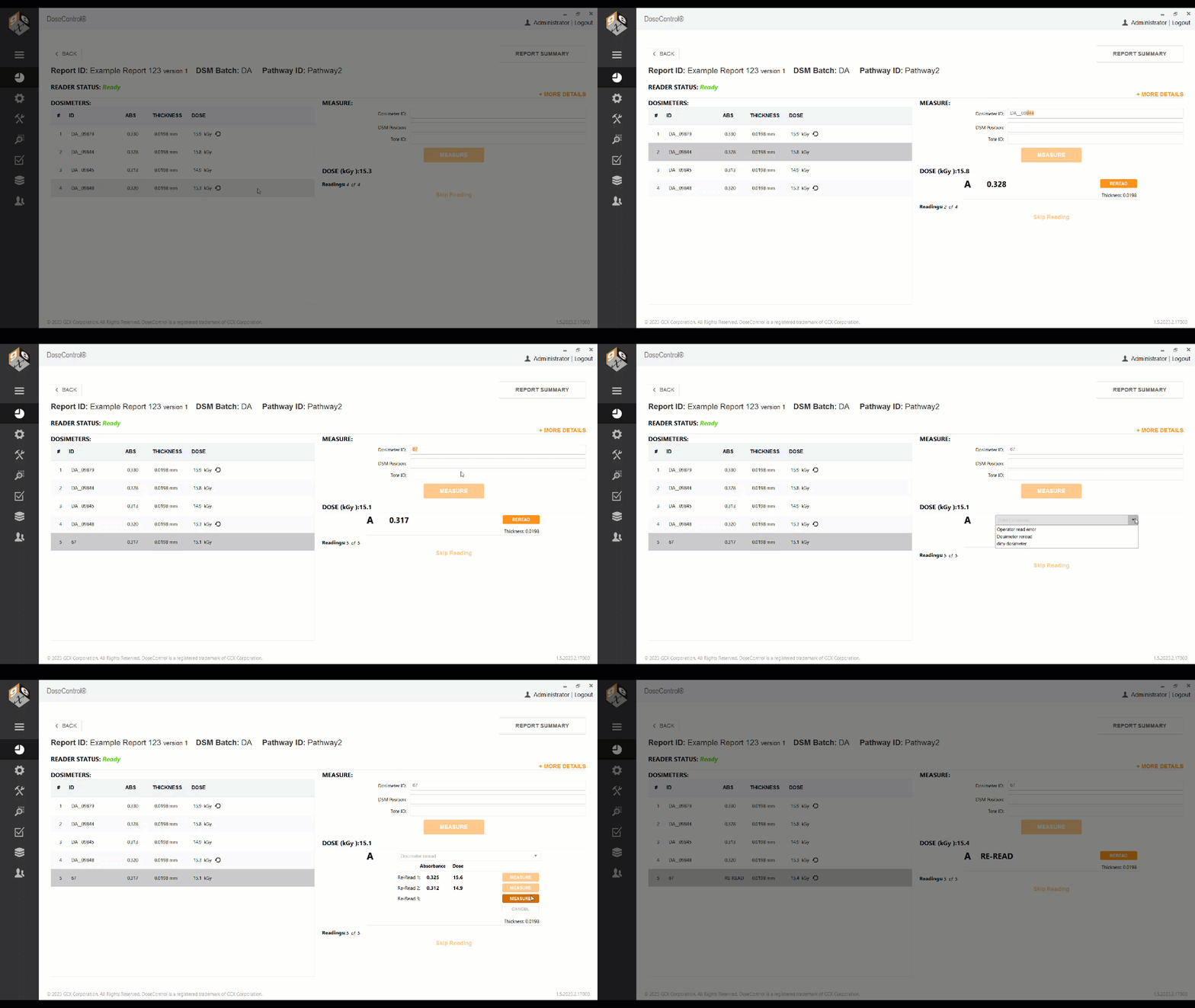
5 The completed reread measurement appears in the dosimeter list on the screen and in reports. A reread icon appears next to the dosimeter.
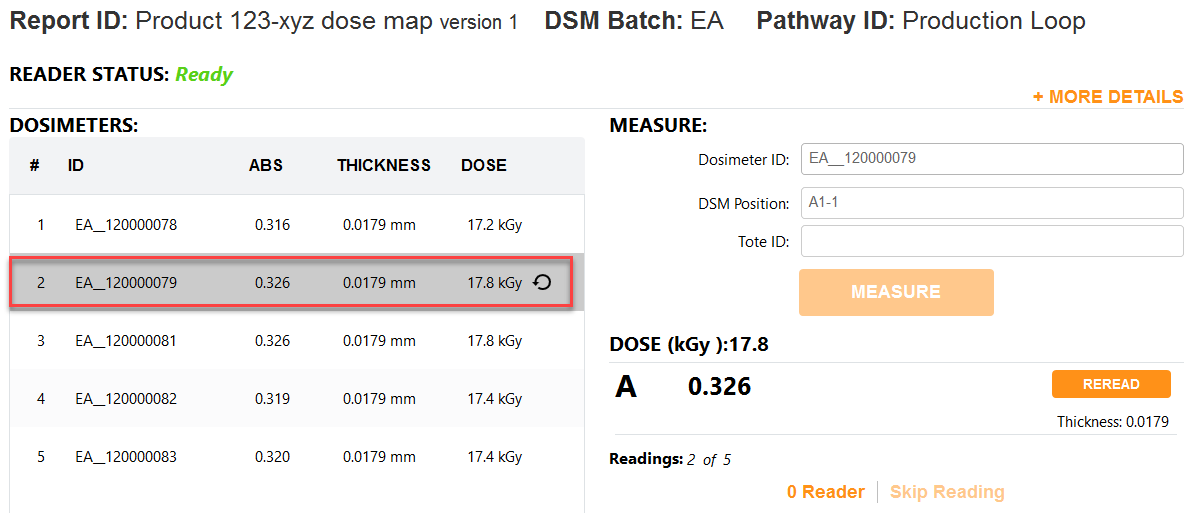
“Simple” reread example
A reread that uses the “simple” method will replace the original absorbance (ABS) and dose values with the new values. A reread icon will appear next to the dose to indicate the dosimeter has been reread. See Statistical Reread rejected result.

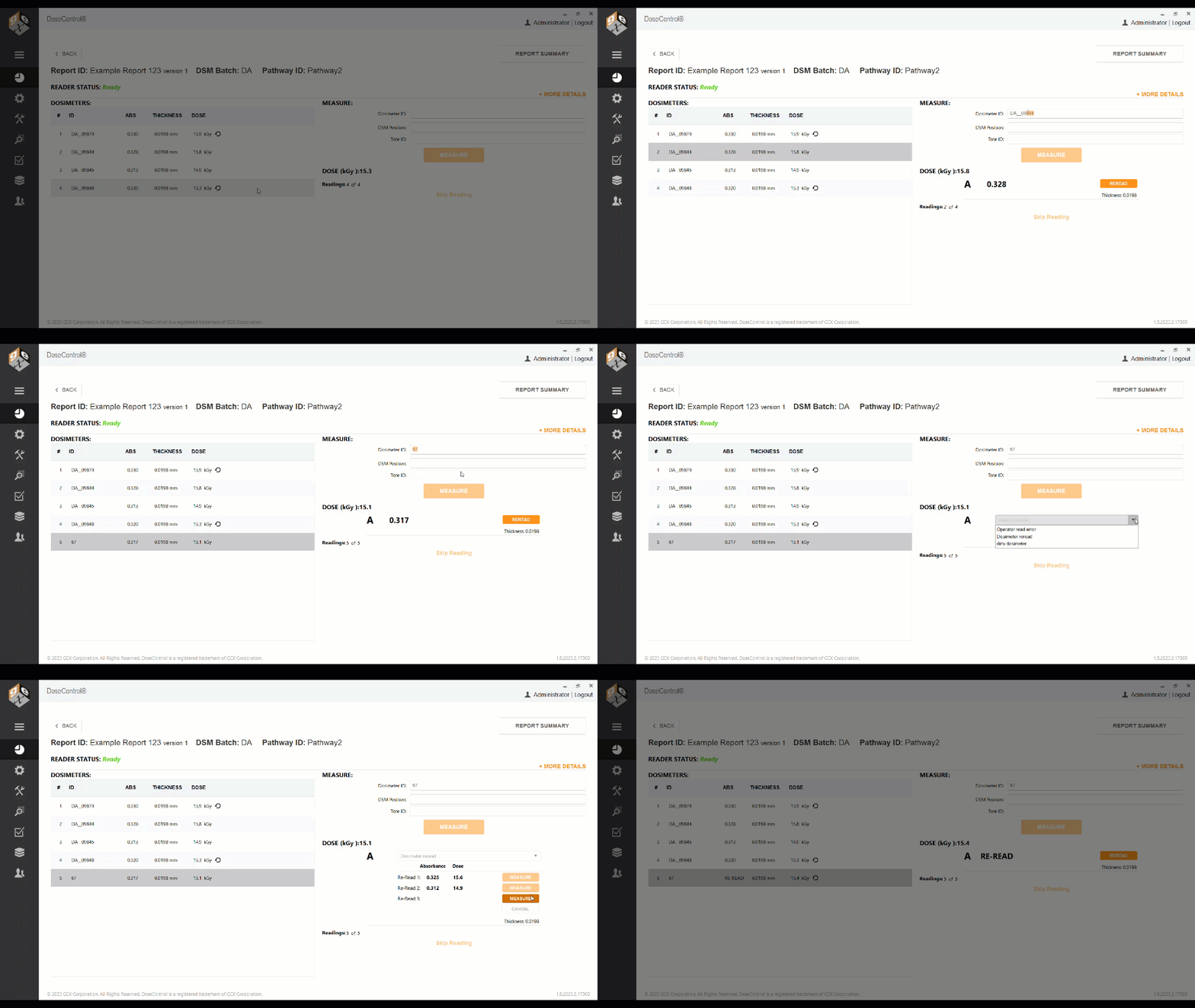
“Statistical” reread example
If a reread using the “statistical” method passes the statistical test, the absorbance (ABS) will say RE-REREAD, and the dose value will be the new value. A reread icon will appear next to the dose to indicate the dosimeter has been reread.