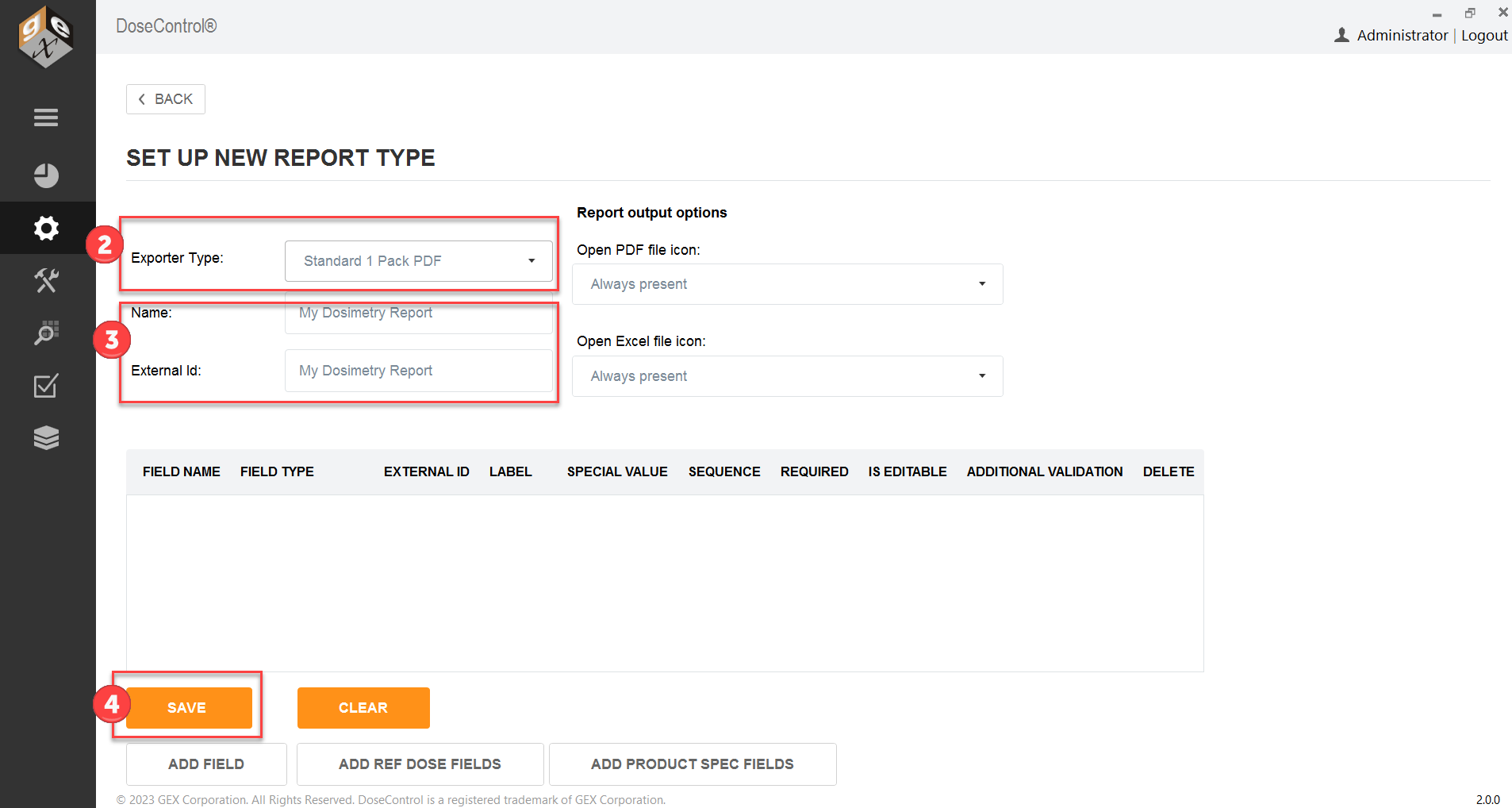
This section describes the default PDF report types and data fields. Most data fields are automatically output from DoseControl; the bolded data fields need to be configured under Report Headers by the Admin.
Standard 1 Pack PDF Report - Setup Instructions
Description: 1 dosimeters/pouch, routine process monitoring dosimetry. All fields in the table below are included in this report.
Report header setup: None.
FIELD NAME:
|
DESCRIPTION
|
FIELD NAME:
|
DESCRIPTION:
|
Report Version:
|
Version number of the report
|
Tote No:
|
Tote number (tote or carrier)
|
DSM Batch ID:
|
Dosimeter batch ID (from Calibration configuration)
|
Abs 1:
|
Absorbance measurement of dosimeter 1
|
DSM Thickness:
|
Dosimeter thickness (from Calibration configuration)
|
Dose (kGy)
|
Calculated dose in kGy (uses calibration coefficients in Calibration)
|
Prepared by:
|
Username that is logged in at the time of report processing
|
|
|
Date and Time:
|
Date/time report was processed; will say “not processed” for unprocessed report
|
|
|
Instrument ID:
|
Spectrophotometer serial number (from Calibration configuration)
|
|
|
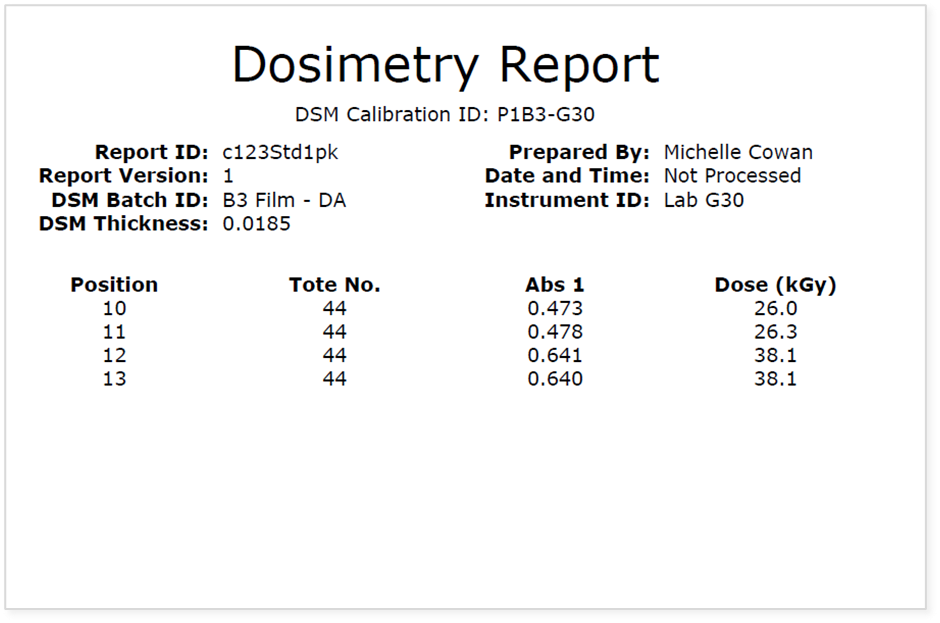
Report header setup
1 Go to Setup > Report Types
2 Select Ref Dose 1 Pack PDF from the Exporter Type selector.
3 Enter a Name. Copy the report Name into External Id.
4 Click Save