
The Application Admin user can control report outputs.
The default setting is to allow both Excel and PDF print icons on the report screen at all times.
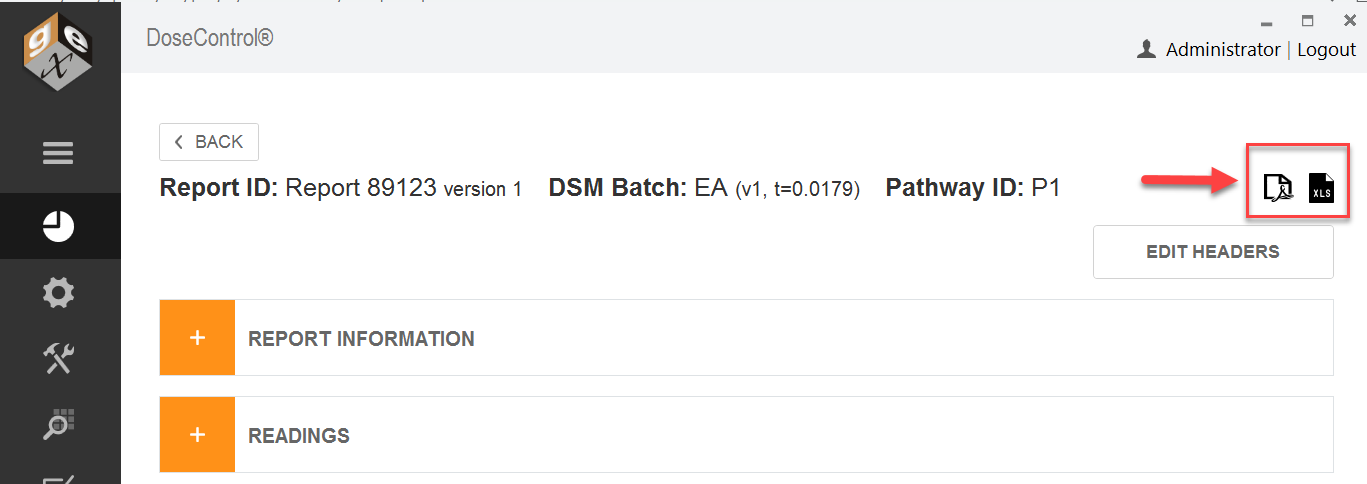
You can change the setting to allow a variety of report output options, for example:
-
Only allow PDF format
-
Only allow Excel format
-
Only allow users to see and print a “processed” report
-
Automatically save a report (PDF or Excel format) to the report storage location when the “Process Report” button is clicked and never allow the user to see or physically print a report.
Before you start
Setup a Report type. You must have a new Report type setup in the software before you can add the header fields to the report.
Instructions to Control Report Export/Printing
1 After you have created a Report type, change the Report Output Options as desired.
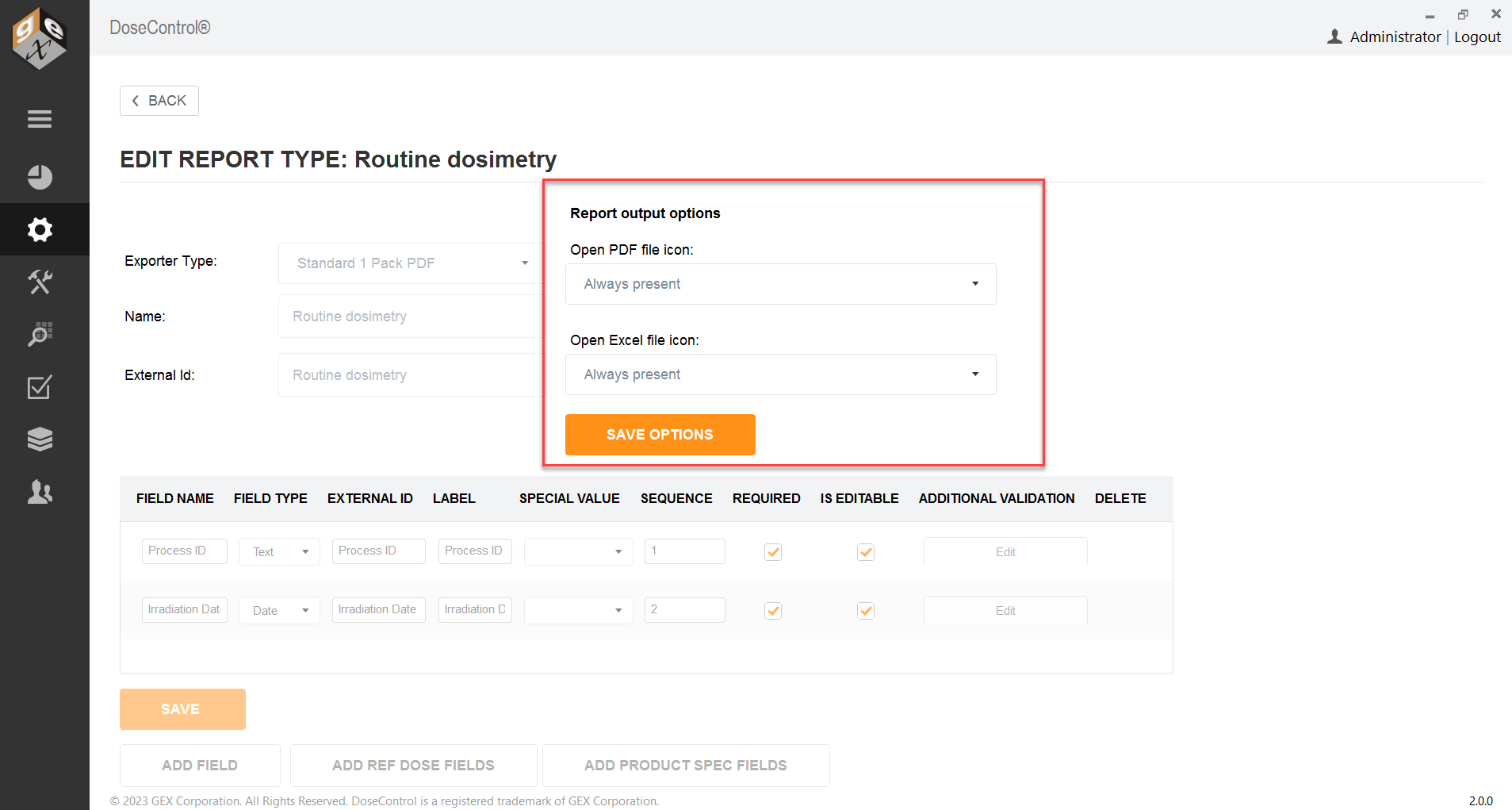
2 Select PDF report output options
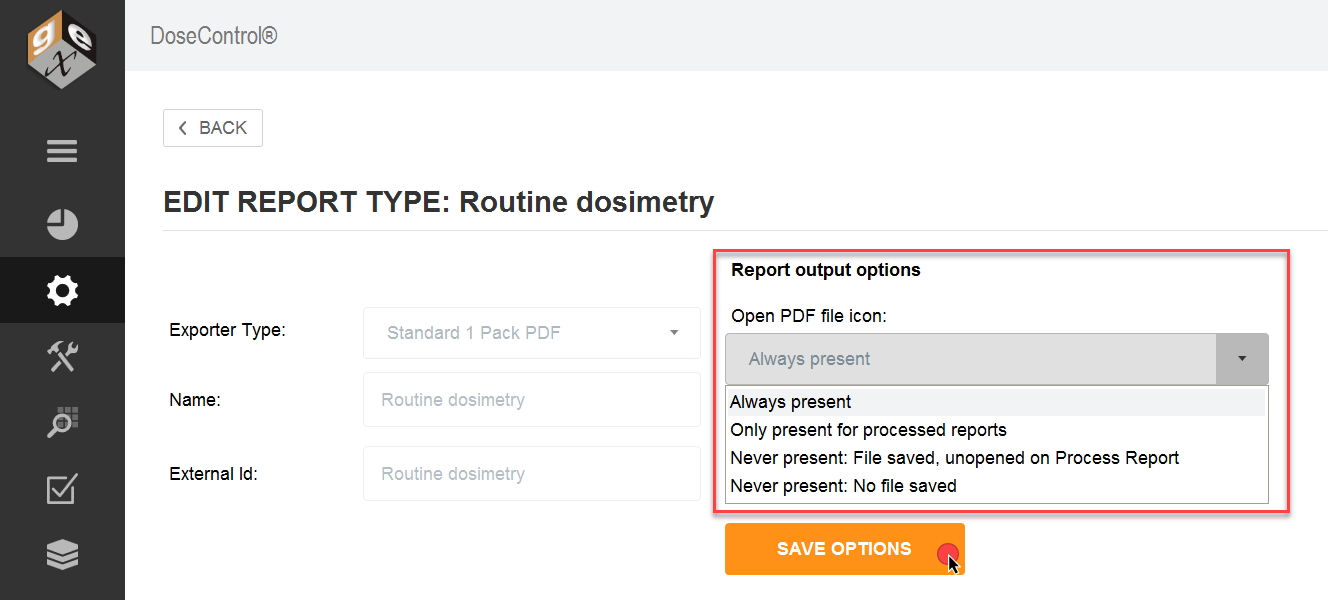
3 Select Excel report output options
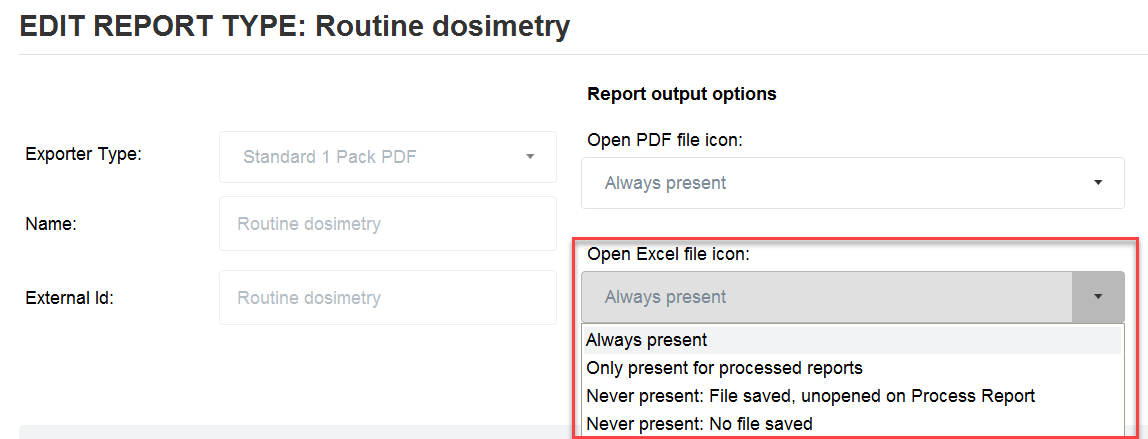
4 Click “Save Options” button