
Routine process monitoring may use a reference dosimeter placed in a set location during the irradiation process. The reference dosimeter verifies the product’s dose specification conformance.
Product dose mapping establishes the minimum dose specification (Min Dose Spec) and maximum dose specification (Max Dose Spec), and defines the ratio to the reference dosimeter location (Ref to Min Ratio and Ref to Max Ratio).
How does a “Reference Dosimetry” report type function in DoseControl?
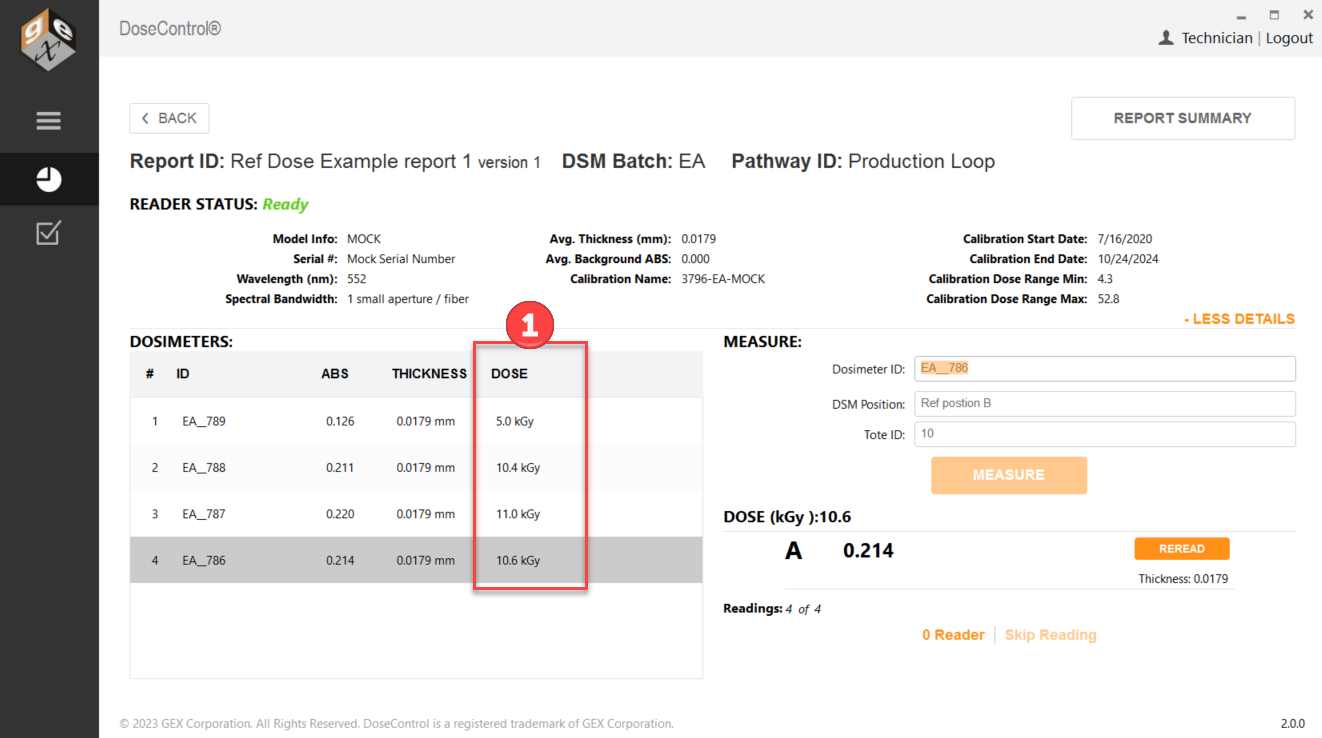
A Ref Dose report functions different from a standard report. The main measurement screen will look the same, but the Report Summary screen will show the calculated minimum and maximum dose for each dosimeter based on the process specification. The Report Summary screen will display the Dose, the Calculated Minimum Dose (Dose * Ref:Min ratio), and the Calculated Maximum Dose (Dose * Ref:Max ratio).
Process specification report header fields values display the Min Dose Spec, Max Dose Spec and the Ref:Min Ratio, Ref:Max Ratio.
1 Dose value
2 Calculated Min Dose (Dose * Ref:Min ratio = Calc. Min Dose).
3 Calculated Max Dose (Dose * Ref:Max ratio = Calc. Max Dose)
4 Dose Summary Statisitics - this section displays a summary of results in the report.
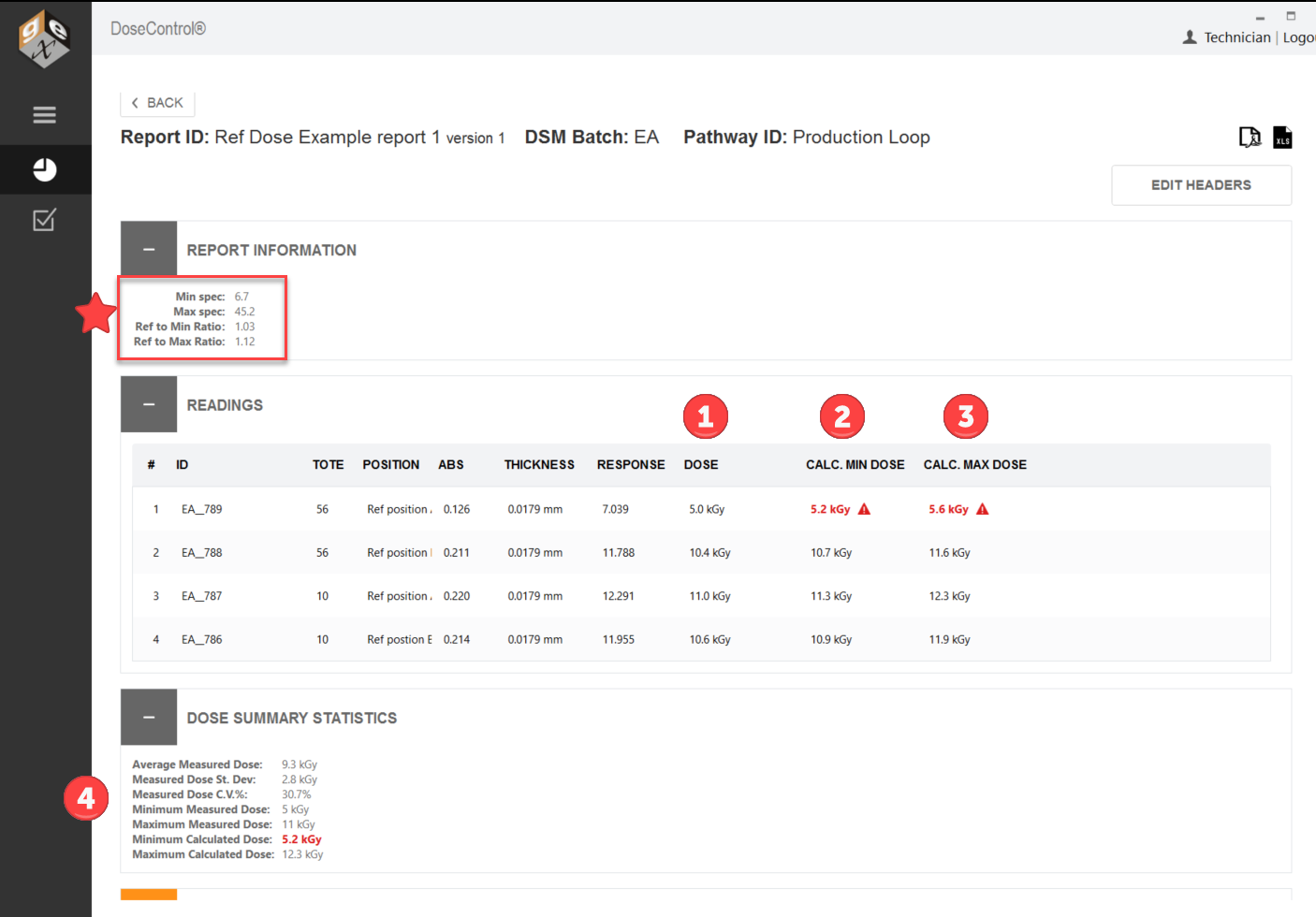
If the calculated min or max dose value is outside the Min/Max Dose Specification, the value will appear in bold red font with an alert icon.
How does the Ref Dose report type handle invalid dose values?
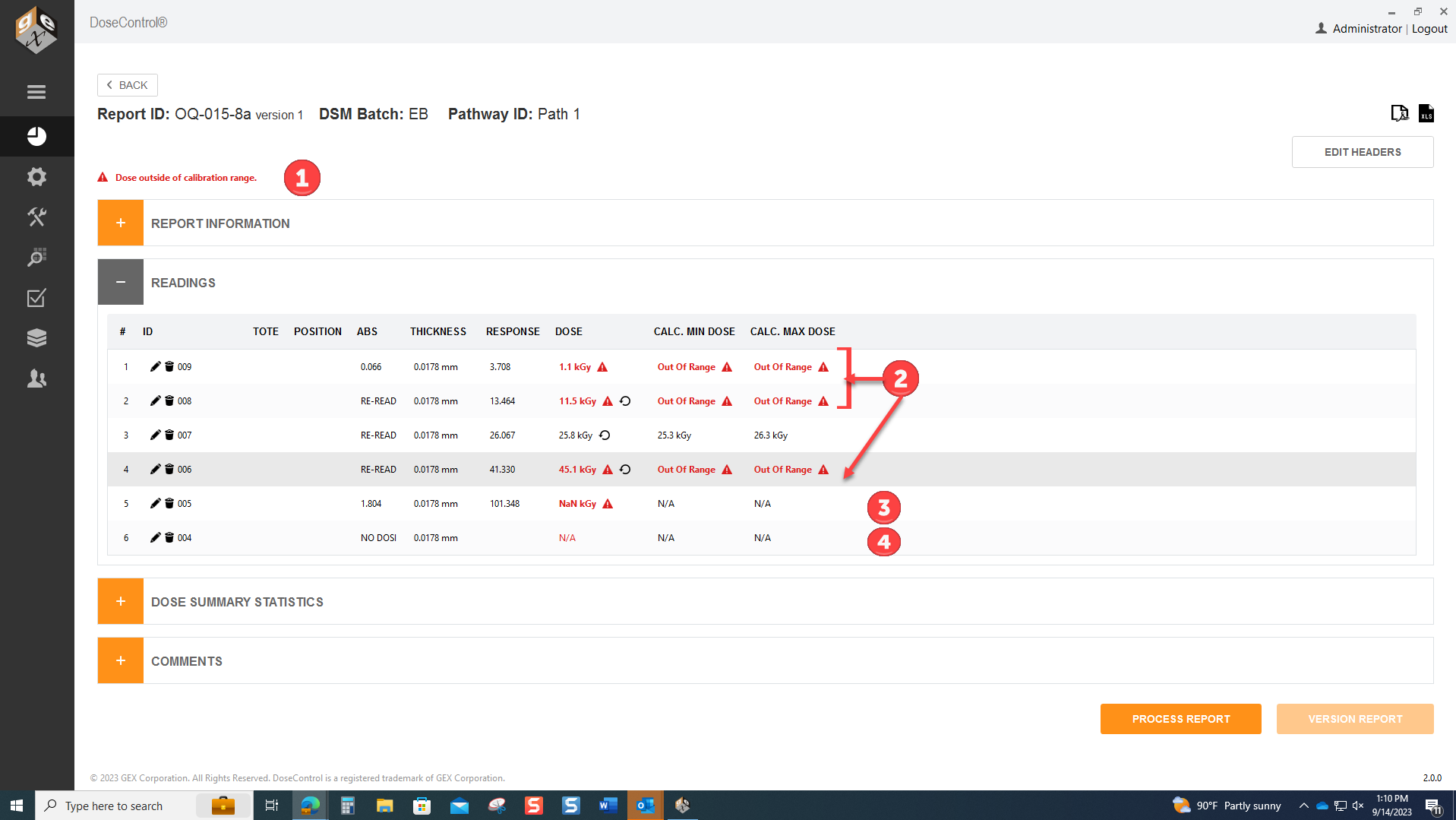
The dosimeter batch calibration has a dose range. If a dose is outside this range, the dose is not valid. A Ref Dose report will display invalid doses as follows:
1 Alert message at the top of the Report Summary screen “Dose outside of the calibration range”
2 Dose numerical value in red font with alert icon. Calculated Min/Max Doses display “Out of Range” with alert icon.
3 If a dosimeter measurement is so far outside the calibration range that a Dose value cannot be calculated as a number, the software displays “NaN” in red font with alert icon. Calculated Min/Max Doses display N/A.
4 If a dosimeter measurement is skipped (no measurement), the software displays “NODOSI” for the Dose and Calculated Min/Max Doses display N/A.
👉 Learn more about how DoseControl handles valid and invalid doses.
👉 Next steps: How to Setup Dosimetry Reports